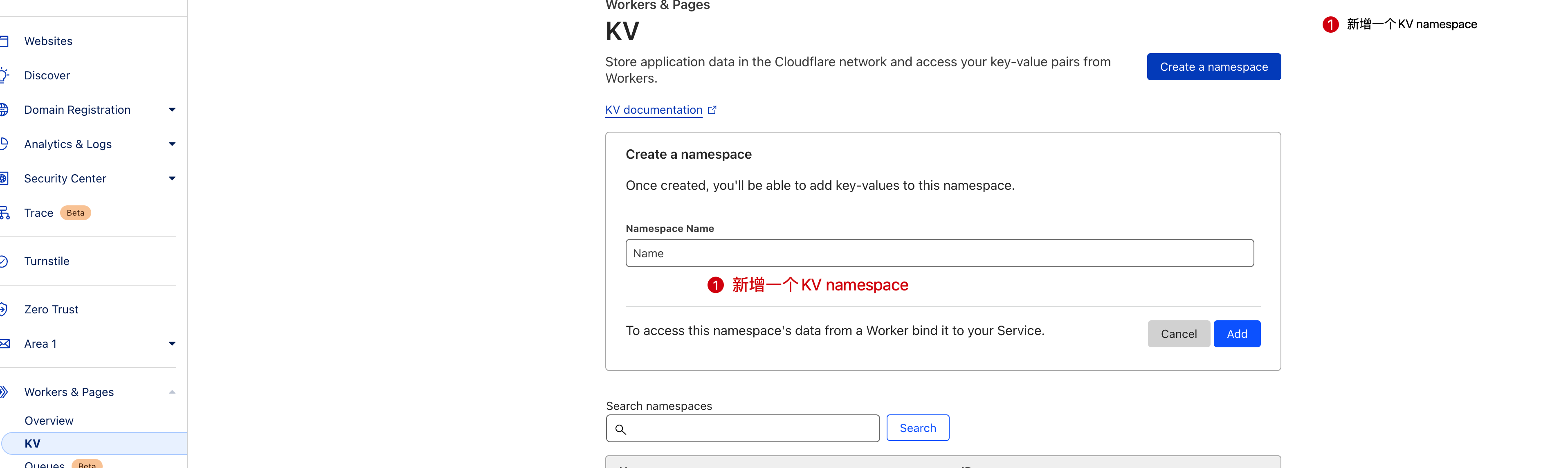
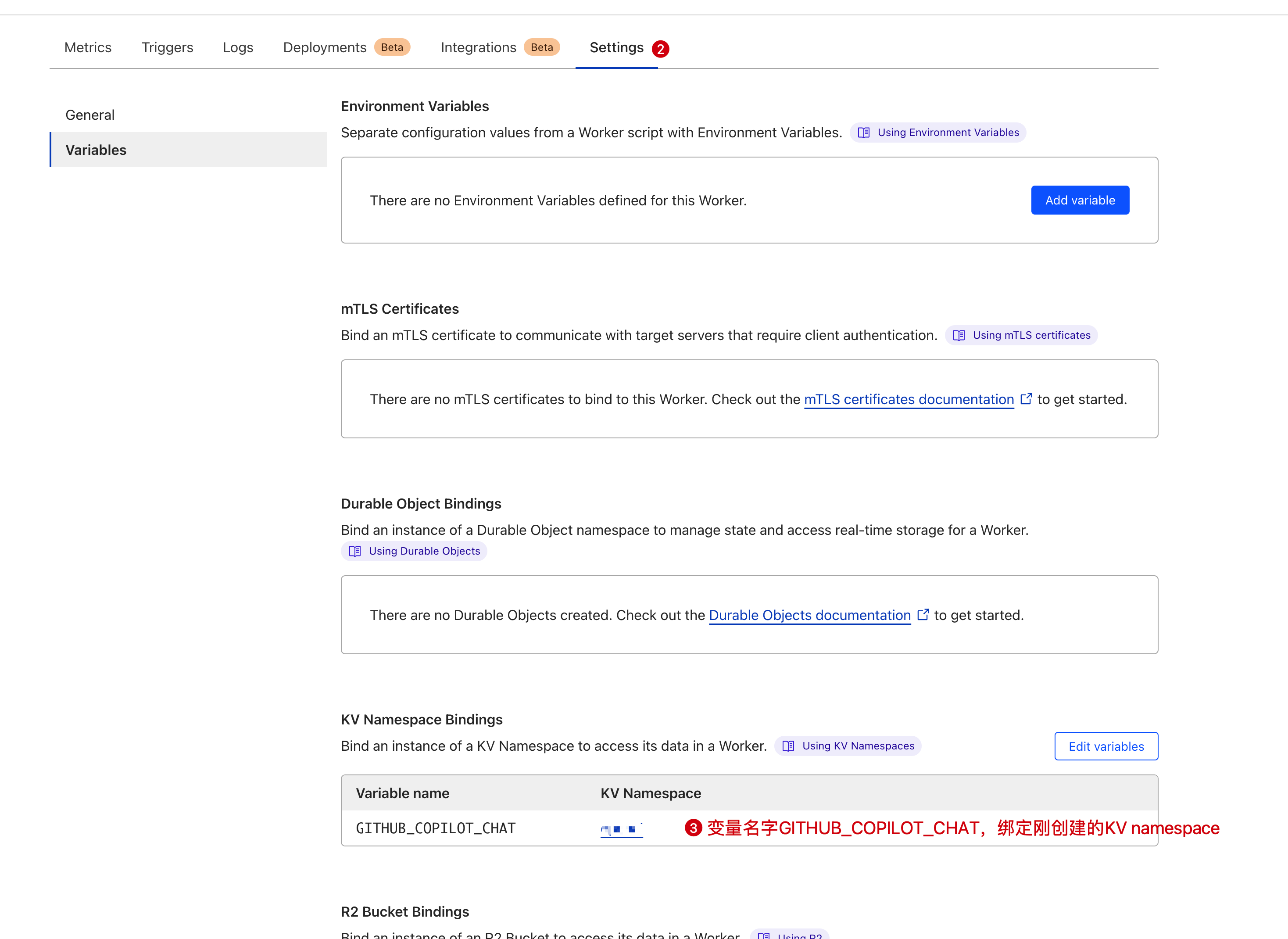
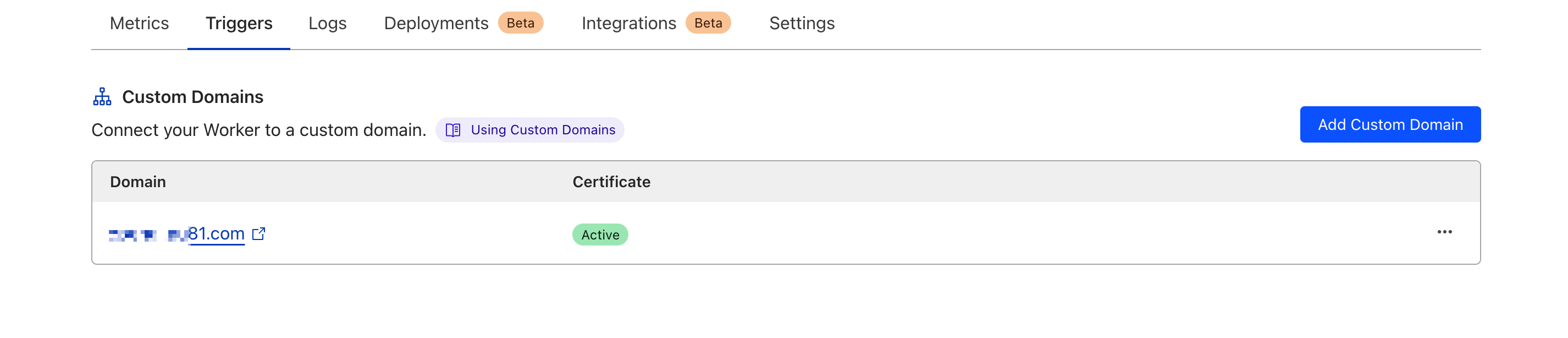
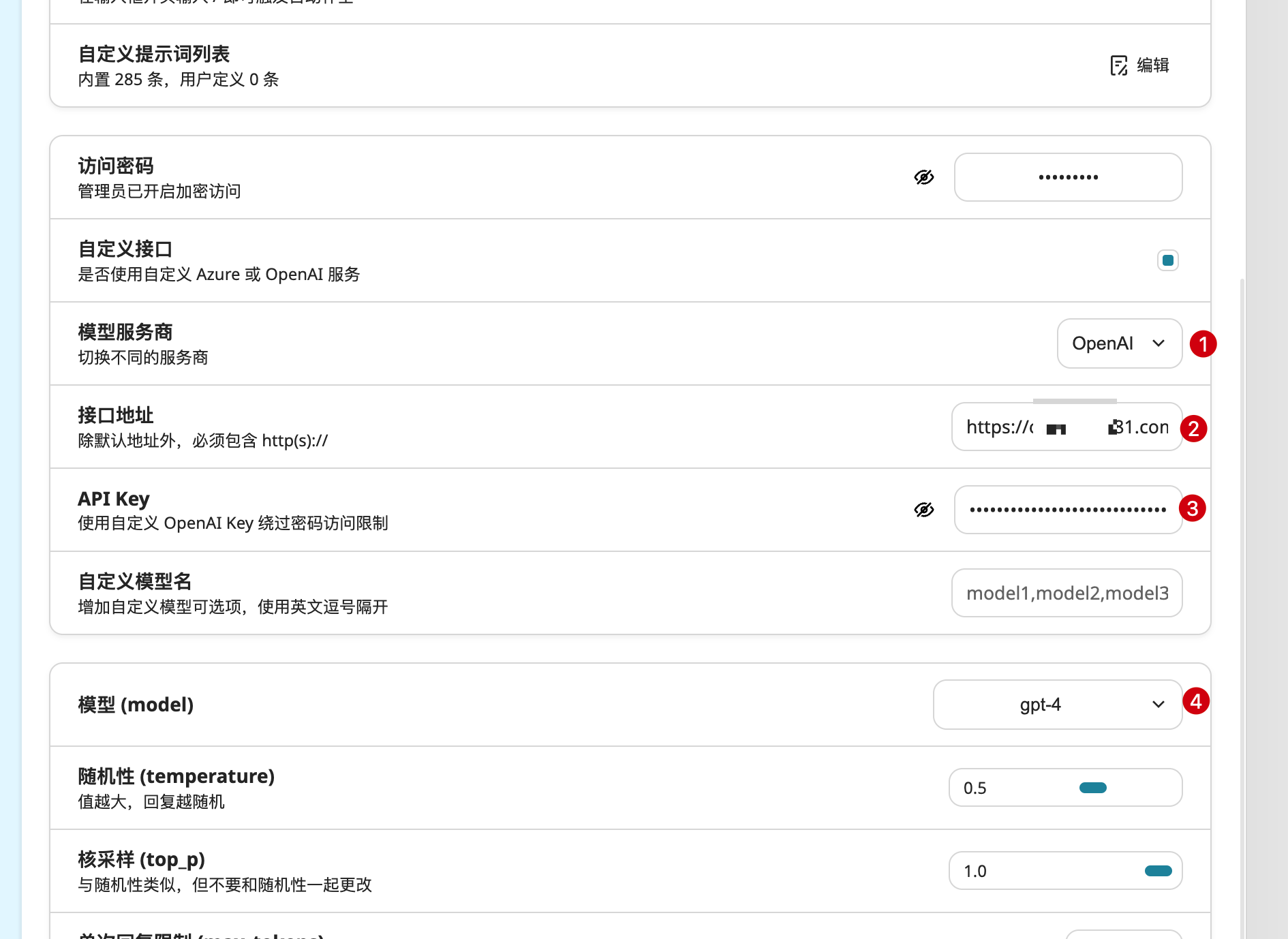
1
  2
  3
  4
  5
  6
  7
  8
  9
 10
 11
 12
 13
 14
 15
 16
 17
 18
 19
 20
 21
 22
 23
 24
 25
 26
 27
 28
 29
 30
 31
 32
 33
 34
 35
 36
 37
 38
 39
 40
 41
 42
 43
 44
 45
 46
 47
 48
 49
 50
 51
 52
 53
 54
 55
 56
 57
 58
 59
 60
 61
 62
 63
 64
 65
 66
 67
 68
 69
 70
 71
 72
 73
 74
 75
 76
 77
 78
 79
 80
 81
 82
 83
 84
 85
 86
 87
 88
 89
 90
 91
 92
 93
 94
 95
 96
 97
 98
 99
100
101
102
103
104
105
106
107
108
109
110
111
112
113
114
115
116
117
118
119
120
121
122
123
124
125
126
127
128
129
130
131
132
133
134
135
136
137
138
139
140
141
142
143
144
145
146
147
148
149
150
151
152
153
154
155
156
157
158
159
160
161
162
163
164
165
166
167
168
169
170
171
172
173
174
175
176
177
178
179
180
181
|
const GithubCopilotChat = GITHUB_COPILOT_CHAT;

addEventListener('fetch', event => {
  event.respondWith(handleRequest(event.request))
})

async function handleRequest(request) {
  const corsHeaders = {
    'Access-Control-Allow-Origin': '*',
    'Access-Control-Allow-Methods': 'GET, POST, OPTIONS',
    'Access-Control-Allow-Headers': '*',
  }

  if (request.method === 'OPTIONS') {
    return new Response(null, {
      status: 200,
      headers: corsHeaders,
    })
  }

  if (request.method === 'GET') {
    let data = {
      object: "list",
      data: [
        { "id": "gpt-4", "object": "model", "created": 1687882411, "owned_by": "openai" },
        { "id": "gpt-3.5-turbo", "object": "model", "created": 1677610602, "owned_by": "openai" },
      ],
    }
    return new Response(JSON.stringify(data), {
      status: 200,
      headers: corsHeaders,
    })
  }

  if (request.method !== 'POST') {
    return new Response('Method Not Allowed', {
      status: 405,
      headers: corsHeaders,
    })
  }

  try {
    const authorizationHeader = request.headers.get('Authorization') || ''
    const match = authorizationHeader.match(/^Bearer\s+(.*)$/)
    if (!match) {
      throw new Error('Missing or malformed Authorization header')
    }
    const githubToken = match[1]

    const copilotToken = await getCopilotToken(githubToken)

    const headers = await createHeaders(copilotToken);

    const requestData = await request.json()

    const openAIResponse = await fetch('https://api.githubcopilot.com/chat/completions', {
      method: 'POST',
      headers: {
        ...headers,
      },
      body: typeof requestData === 'object' ? JSON.stringify(requestData) : '{}',
    })

    const { readable, writable } = new TransformStream();
    streamResponse(openAIResponse, writable, requestData);
    return new Response(readable, {
      headers: {
        ...corsHeaders,
        'Content-Type': 'text/event-stream; charset=utf-8',
        'Cache-Control': 'no-cache',
        'Connection': 'keep-alive',
      }
    });
  } catch (error) {
    return new Response(error.message, {
      status: 500,
      headers: corsHeaders,
    });
  }
}

async function streamResponse(openAIResponse, writable, requestData) {
  const reader = openAIResponse.body.getReader();
  const writer = writable.getWriter();
  const encoder = new TextEncoder();
  const decoder = new TextDecoder("utf-8");
  let buffer = "";

  function push() {
    reader.read().then(({ done, value }) => {
      if (done) {
        writer.close();
        return;
      }
      const chunk = decoder.decode(value, { stream: true });
      let to_send = "";
      (buffer + chunk).split("data: ").forEach((raw) => {
        if (raw === "")
          return;
        else if (!raw.endsWith("\n\n"))
          buffer = raw;
        else if (raw.startsWith("[DONE]"))
          to_send += "data: [DONE]\n\n";
        else {
          let data = JSON.parse(raw);
          if (data.choices[0].delta?.content === null)
            data.choices[0].delta.content = "";
          if (data.choices[0].finish_reason === undefined)
            data.choices[0].finish_reason = null;
          if (data.model === undefined && requestData.model !== undefined)
            data.model = requestData.model;
          if (data.object === undefined)
            data.object = "chat.completion.chunk";
          to_send += `data: ${JSON.stringify(data)}\n\n`;
        }
      });
      writer.write(encoder.encode(to_send));
      push();
    }).catch(error => {
      console.error(error);
      writer.close();
    });
  }

  push();
}

async function getCopilotToken(githubToken) {
  let tokenData = await GithubCopilotChat.get(githubToken, "json");

  if (tokenData && tokenData.expires_at * 1000 > Date.now()) {
    return tokenData.token;
  }

  const getTokenUrl = 'https://api.github.com/copilot_internal/v2/token';
  const response = await fetch(getTokenUrl, {
    headers: {
      'Authorization': `token ${githubToken}`,
      'User-Agent': 'GitHubCopilotChat/0.11.1',
    }
  });

  if (!response.ok) {
    const errorResponse = await response.text();
    console.error('Failed to get Copilot token from GitHub:', errorResponse);
    throw new Error('Failed to get Copilot token from GitHub:');
  }

  const data = await response.json();

  await GithubCopilotChat.put(githubToken, JSON.stringify({ token: data.token, expires_at: data.expires_at }), {
    expirationTtl: data.expires_at
  });

  return data.token;
}

async function createHeaders(copilotToken) {
  function genHexStr(length) {
    const arr = new Uint8Array(length / 2);
    crypto.getRandomValues(arr);
    return Array.from(arr, (byte) => byte.toString(16).padStart(2, '0')).join('');
  }

  return {
    'Authorization': `Bearer ${copilotToken}`,
    'X-Request-Id': `${genHexStr(8)}-${genHexStr(4)}-${genHexStr(4)}-${genHexStr(4)}-${genHexStr(12)}`,
    'X-Github-Api-Version': "2023-07-07",
    'Vscode-Sessionid': `${genHexStr(8)}-${genHexStr(4)}-${genHexStr(4)}-${genHexStr(4)}-${genHexStr(25)}`,
    'Vscode-Machineid': genHexStr(64),
    'Editor-Version': 'vscode/1.85.1',
    'Editor-Plugin-Version': 'copilot-chat/0.11.1',
    'Openai-Organization': 'github-copilot',
    'Openai-Intent': 'conversation-panel',
    'Content-Type': 'text/event-stream; charset=utf-8',
    'User-Agent': 'GitHubCopilotChat/0.11.1',
    'Accept': '*/*',
    'Accept-Encoding': 'gzip,deflate,br',
    'Connection': 'close'
  };
}
|